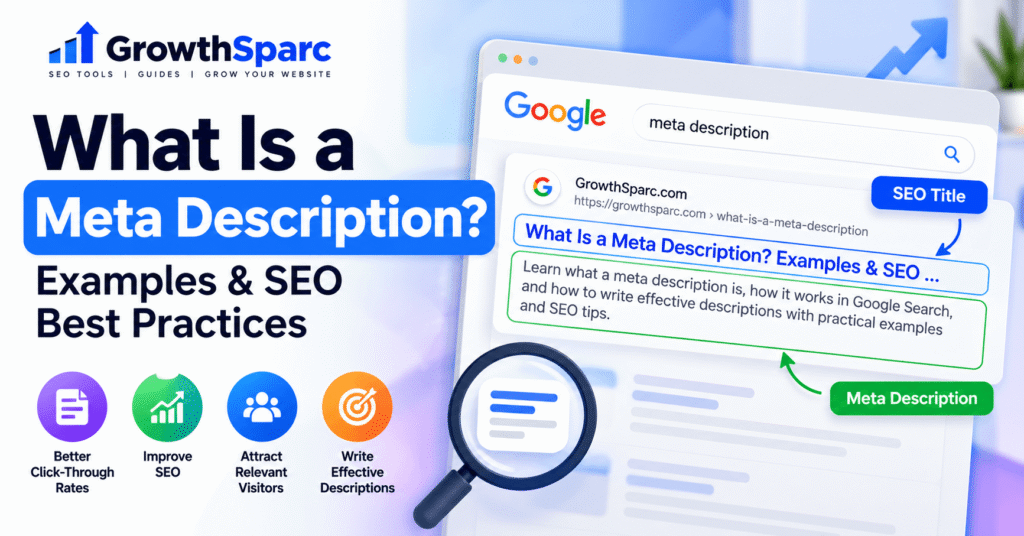
When someone searches Google, they often see a page title, a website address, and a short description explaining what the result offers. That description can influence whether the searcher decides to visit your page or choose a competing result. Understanding how meta descriptions work is therefore an important part of creating helpful, search-friendly websites.
A meta description is an HTML element that summarizes the content of a webpage. Search engines such as Google may use it to create the descriptive snippet displayed beneath a search result’s title. A good meta description accurately explains the page, highlights useful information, and helps people decide whether the result matches their search.
Meta descriptions are easy to overlook because visitors usually do not see them within the webpage itself. However, they provide useful descriptive information to search engines and can help communicate a page’s value before a potential visitor clicks.
In this guide, you will learn what meta descriptions do, how Google selects search snippets, how to write descriptions for different types of pages, and how to evaluate their effectiveness using practical examples.
What Is a Meta Description in SEO?
A meta description is a short summary placed inside the HTML head section of a webpage. It is primarily designed to describe the page to search engines and other software that reads webpage metadata.
For example, a website publishing a guide about keyword research could include this description:
<meta name="description"
content="Learn how to research SEO keywords, understand search intent, and choose relevant topics for your website.">
The description is not normally displayed as visible text within the article. Instead, it becomes part of the webpage’s underlying HTML metadata.
Search engines can read this information while processing the page. If the description is a useful match for the searcher’s query, Google may choose to display it as the result’s snippet.
What Does a Meta Description Look Like in Google?
growthsparc.com › blog › seo-guide
SEO Basics: A Practical Guide for Beginners
Understand the fundamentals of search engine optimization, from keyword research and on-page improvements to measuring organic performance.
The blue title represents the search result’s title link, while the text below it is an illustrative search snippet. The exact appearance varies depending on the device, search query, and Google’s presentation systems.
To understand how to write and optimize the clickable headline itself, read our guide to SEO title tags, best practices, and examples.
You can experiment with these elements using the free GrowthSparc SERP Snippet Preview Tool. It helps you review a proposed title and description before publishing.
Why Are Meta Descriptions Important for SEO?
Meta descriptions do not function as a direct Google ranking factor. Writing an attractive description does not automatically move a webpage from position ten to position one.
However, descriptions still matter because they help communicate relevance and usefulness to potential visitors.
1. They Help Searchers Understand Your Content
Imagine someone searching for instructions on creating an XML sitemap. They may encounter several results with similar titles.
A description that explains whether the page contains a tutorial, examples, troubleshooting steps, or a free tool gives the searcher more context.
This can help the person choose the result that best meets their needs.
2. They Can Support More Relevant Clicks
When Google displays your description, clear wording may encourage interested searchers to visit. A description that accurately represents the destination can also reduce the disappointment caused by misleading expectations.
For example, compare these two descriptions:
SEO tools, SEO guide, best SEO, free SEO, website SEO, ranking SEO and more SEO tips.
Learn how to evaluate your website’s SEO performance, identify common technical issues, and use free tools to plan practical improvements.
The second example explains what readers will learn instead of repeating keywords without context.
3. They Communicate Each Page’s Unique Purpose
Websites often contain pages with related topics. A homepage, service page, educational guide, and free tool may all mention search engine optimization, but they serve different purposes.
Individual descriptions help explain those differences.
A technical guide should emphasize the knowledge it provides. A free calculator page should explain what the calculator measures. A service page should describe the service and the audience it helps.
4. They Encourage Better Content Summaries
Writing a useful description requires understanding the page’s central purpose. If you struggle to summarize a page accurately, the content may be trying to answer too many unrelated questions.
This makes meta description writing a useful editorial quality check, not just an SEO task.
How Does Google Use Meta Descriptions?
Google does not promise to display the exact meta description supplied by the website owner.
According to Google Search Central’s documentation on snippets, Google primarily creates snippets from webpage content. It may use the meta description when that text provides a more useful summary for a particular search.
Why Does Google Rewrite Meta Descriptions?
Consider a detailed article explaining both the benefits of internal linking and how to fix broken internal links.
For a search about internal linking benefits, Google might display text from the article’s introduction.
For a search about broken links, Google might instead select a paragraph describing how to identify and repair them.
Both snippets can come from the same webpage because the queries represent different information needs.
Google may also choose page content instead of your description when the supplied description is generic, duplicated, outdated, or unrelated to the user’s search.
What Is the Ideal Meta Description Length?
There is no official fixed character limit for meta descriptions in Google Search. Snippets can be shortened according to the available display space, particularly on smaller devices.
As a practical editorial starting point, many website owners aim for approximately 140–160 characters. This is a writing convention rather than a Google ranking requirement or guaranteed display limit.
A shorter description can work when it communicates everything important. A longer description may be appropriate when additional information genuinely helps explain the page.
Should You Always Use 160 Characters?
No. A precise character count is less important than relevance, clarity, and accuracy.
For example, a simple calculator page might need only one short sentence explaining its purpose. A product page might benefit from mentioning its defining features or other important information.
Instead of adding unnecessary words to reach a target, focus on presenting the main benefit early and making every phrase useful.
How Can You Preview the Length?
Open the GrowthSparc SERP Preview Tool, enter a sample URL, add your proposed SEO title, and paste the description.
Review the character count and illustrative search result. Remember that a preview is not an exact prediction of Google’s final snippet.
How to Write an Effective Meta Description: Step by Step
Step 1: Identify the Page’s Primary Search Intent
Before writing, determine why someone would search for the topic.
Searchers may want to learn something, compare products, complete an action, or reach a particular website.
For an informational article, the description should explain what the reader will learn. For a free tool, it should describe what the visitor can accomplish. For a commercial page, it should highlight relevant service or product details without making unsupported promises.
Step 2: Summarize the Main Benefit
Ask yourself: What useful result will someone gain by visiting this page?
A guide about robots.txt files might help readers understand crawler directives and avoid common configuration mistakes.
A meta description for that page should reflect those outcomes instead of simply repeating the title.
Step 3: Include the Primary Keyword Naturally
When the main keyword accurately describes the page, including it in the description can reinforce relevance for readers.
However, repeating the same phrase several times is unnecessary.
For example, a description about keyword density should explain the topic rather than contain a long list of keyword-density variations.
For practical content analysis, GrowthSparc also provides a collection of free SEO tools, including a keyword density analyzer.
Step 4: Add Specific Details
Descriptions become more useful when they mention the information or features that distinguish a page.
Instead of saying that an article contains SEO advice, explain whether it includes examples, instructions, calculations, templates, or troubleshooting guidance.
Only mention features that genuinely exist on the destination page.
Step 5: Use a Natural Call to Action
Calls to action can be helpful when they match the page’s purpose.
Examples include:
- Learn how to identify common indexing issues.
- Compare practical methods for optimizing SEO titles.
- Calculate organic click-through rate using your own data.
- Explore step-by-step instructions for creating an XML sitemap.
Avoid exaggerated claims such as guaranteed first-page rankings or instant traffic increases.
Step 6: Review the Description Against the Actual Page
Read the description and ask whether a visitor would find what it promises after clicking.
If the description mentions a downloadable template, the page should actually provide one. If it promises a free tool, that tool should be accessible and functional.
Accurate expectations are more valuable than aggressive marketing language.
Step 7: Preview, Publish, and Measure
Use a snippet preview to review wording, then publish the page with the description in its metadata.
After the page receives search impressions, evaluate performance through Google Search Console. Avoid assuming that every CTR change was caused by your description because rankings, queries, seasonality, and search-result features can also affect clicks.
Meta Description Examples for Different Website Types
Different page types need different descriptions. The following examples are original illustrations that you can adapt to your own content.
| Page Type | Example Meta Description |
|---|---|
| Educational blog | Learn how internal links help visitors navigate your website, discover related content, and support a clear site structure. |
| SEO tool | Preview your SEO title and meta description before publishing. Review an illustrative search snippet and adjust your wording. |
| Online store | Explore everyday desk accessories with product details, dimensions, and practical information to help you choose. |
| Local service | Explore website design services for small businesses, including responsive layouts, usability improvements, and ongoing support. |
| How-to tutorial | Learn how to create an XML sitemap, understand which URLs belong in it, and check common sitemap submission issues. |
| Calculator | Calculate organic click-through rate using your clicks and impressions. Understand the formula and interpret the result. |
Example: A Meta Description for a Free SEO Tool
Suppose you operate a free organic CTR calculator. Visitors are looking for a way to calculate a percentage using their search impressions and clicks.
A useful description would explain that action directly:
Calculate your organic search CTR from clicks and impressions. Use a free calculator to understand the percentage of impressions that generated clicks.
GrowthSparc’s Organic CTR Calculator provides this calculation using the formula:
Organic CTR = (Clicks ÷ Impressions) × 100
For example, 80 clicks from 2,000 impressions produce a 4% click-through rate.
Example: A Meta Description for an Informational Article
An article about technical SEO should communicate what readers will learn rather than suggest that the page provides a tool if it does not.
Understand technical SEO fundamentals, including crawlability, indexing, website structure, and common problems that affect search visibility.
This style helps readers distinguish an educational guide from a commercial service page or interactive utility.
How to Add a Meta Description to Your Website
Method 1: Add a Meta Description in WordPress
WordPress users can often edit descriptions through an SEO plugin such as Rank Math or Yoast SEO.
- Open the relevant post or page in your WordPress dashboard.
- Find the SEO settings or snippet editor provided by your installed plugin.
- Locate the meta description field.
- Write a concise summary of the page.
- Save or update the post.
- Open the live page and check its HTML source if you need to verify the output.
The exact interface depends on the plugin version and WordPress editor. Avoid adding a second description tag manually if your SEO plugin already outputs one.
Method 2: Add a Description Using HTML
For a static HTML website, the description belongs in the document’s head section.
<!DOCTYPE html>
<html lang="en">
<head>
  <meta charset="UTF-8">
  <title>SEO Basics for Beginners</title>
  <meta name="description"
    content="Learn SEO basics, from keyword research
    to technical improvements and performance tracking.">
</head>
<body>
  <h1>SEO Basics for Beginners</h1>
</body>
</html>
When implementing this code, keep the description’s value properly formatted inside the content attribute and ensure the head section contains valid HTML.
Google provides additional information in its valid page metadata documentation.
Method 3: Use Your Website Builder’s SEO Settings
Many hosted website builders provide a dedicated search appearance or SEO settings panel for each page.
Look for a field named Meta Description, SEO Description, Search Description, or similar wording.
After saving the description, verify the published page rather than relying exclusively on the editor preview.
Common Meta Description Mistakes to Avoid
1. Reusing One Description Across Many Pages
A website’s homepage, contact page, blog posts, and service pages should not all have an identical generic summary.
Whenever practical, create a description reflecting the individual page’s content. For large websites, accurate page-specific templates can help, but they should still produce meaningful differences.
2. Stuffing Descriptions With Keywords
Descriptions written as repeated keyword lists are difficult to read and provide little value.
Use natural language that explains the destination instead of trying to force every keyword variation into the metadata.
3. Making Claims the Page Cannot Support
Promising guaranteed rankings, instant results, or features that do not exist can mislead visitors.
A trustworthy description accurately reflects the content and makes realistic claims.
4. Treating Character Count as the Only Quality Measure
A description can fall within a commonly recommended character range and still be unhelpful.
Prioritize usefulness and relevance. Length should support the message, not determine it.
5. Forgetting to Update Descriptions After Major Changes
When a webpage changes substantially, its old description may no longer accurately represent the content.
Review descriptions after significant content updates, changes to a tool’s functionality, or revisions to the page’s primary purpose.
6. Confusing Meta Descriptions With Meta Keywords
The meta description and meta keywords elements are different. The description provides a summary that Google may use in snippets, while Google does not use the meta keywords tag for web ranking.
There is no need to add a long meta keywords list to improve Google’s rankings.
How to Audit and Improve Existing Meta Descriptions
Optimizing descriptions should be part of a broader content improvement process rather than an isolated attempt to increase clicks.
Step 1: Identify Important Pages
Start with pages that receive meaningful search impressions, attract valuable visitors, or support important business goals.
Pages with strong visibility but lower-than-expected engagement may deserve closer review, although click-through rates should always be interpreted in context.
Step 2: Review Google Search Console Data
Open the Performance report in Google Search Console and examine relevant pages and search queries.
Look at clicks, impressions, average CTR, and average position together.
A page ranking in a lower position may naturally receive fewer clicks than a page near the top, even when its description is excellent.
Step 3: Compare the Snippet With Search Intent
Search for the relevant query and inspect how Google currently describes your page when it appears.
Ask whether the snippet addresses the searcher’s likely question and whether the page provides a useful answer.
If the snippet seems irrelevant, review both the supplied description and the visible text Google might be selecting.
Step 4: Improve the Page When Necessary
Sometimes the most effective improvement is not rewriting the description. The page itself may need a clearer introduction, better organization, more specific examples, or more complete answers.
Google can use visible content to generate snippets, so improving page quality may also improve the information available for search-result previews.
Step 5: Measure Changes Carefully
Record the date of each significant update and compare performance over suitable periods.
Account for ranking movement, changing search demand, query mix, and search-result layout changes before drawing conclusions.
You can also use the GrowthSparc Organic CTR Calculator to understand the relationship between impressions, clicks, and click-through rate.
Improve your most important pages first. A small collection of accurate, useful descriptions is generally more valuable than quickly producing hundreds of generic descriptions that fail to represent their pages.
Meta Description Optimization Checklist
Before publishing or updating a page, review these questions:
- Does the description accurately summarize the page?
- Does it match the primary search intent?
- Is the main topic immediately understandable?
- Does it include relevant details rather than generic marketing language?
- Is the wording natural and free of keyword stuffing?
- Is the description distinct from those on other important pages?
- Are all promises supported by the actual content?
- Does it make sense when read independently of the title?
- Have you checked how the title and description might appear together?
- Have you verified that the published page contains the intended metadata?
Preview Your SEO Title and Meta Description
Before publishing your next article, review how your proposed title and description may appear together in a search result. GrowthSparc provides a free browser-based preview tool for this purpose.
Try the Free SERP Preview Tool →Frequently Asked Questions About Meta Descriptions
Do meta descriptions directly improve Google rankings?
No. Google does not use the meta description as a direct ranking factor. A useful description can still help communicate page relevance when displayed in search results.
How many characters should a meta description contain?
There is no fixed Google character limit. Approximately 140–160 characters is a common writing guideline, but accuracy and relevance matter more than reaching a particular number.
Can Google change my meta description?
Yes. Google may create a search snippet from visible webpage content when that text better matches the search query.
Should every webpage have a unique meta description?
Important pages should generally have descriptions that accurately represent their individual content. For very large websites, page-specific templates can help create useful descriptions at scale.
What happens if a page has no meta description?
Google can still generate a search snippet using visible content from the page. Missing descriptions do not automatically prevent indexing or ranking.
Can I use AI to write meta descriptions?
Yes. AI can help draft descriptions, but the output should be reviewed for factual accuracy, uniqueness, clarity, and consistency with the actual page.
Are meta descriptions and SEO titles the same?
No. The SEO title helps identify the webpage and may influence its title link in search results. The meta description summarizes the page and may be used as the descriptive snippet.
How often should I update meta descriptions?
There is no mandatory schedule. Review descriptions when a page changes substantially, its purpose changes, or performance analysis reveals a clear opportunity to improve its search presentation.
Final Thoughts
A well-written meta description is a concise, accurate explanation of what a webpage offers. Its purpose is not to manipulate search rankings, but to help search engines and potential visitors understand the page.
The most effective approach is straightforward: understand search intent, summarize the real content, write naturally, avoid exaggerated claims, and evaluate performance using reliable data.
Remember that Google may choose a different snippet for individual searches. Focus on making both your metadata and visible content useful rather than trying to control every search-result detail.
When preparing your next article, use the GrowthSparc SERP Preview Tool to review your proposed title and description, and explore the GrowthSparc SEO toolkit for additional free utilities. For detailed instructions, read our step-by-step guide on how to write a meta description.