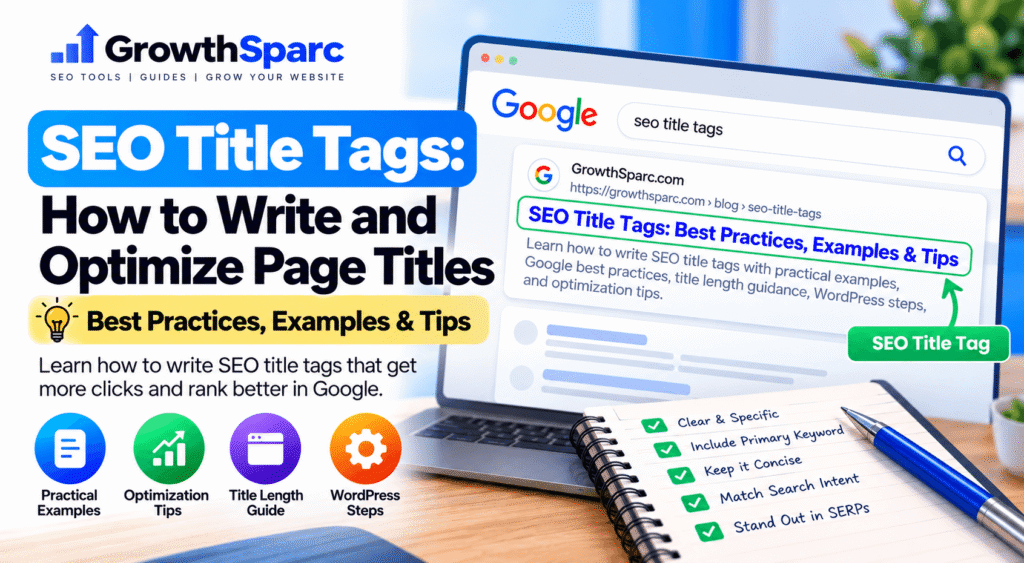
Your page can have excellent content and still struggle to communicate its purpose in search results if its title is vague, duplicated, or misleading. An SEO title tag is one of the clearest ways to describe a webpage to search engines and potential visitors. Unlike a meta description, the HTML title element is also an important signal Google can use to understand a page’s topic.
Write a unique, descriptive title that accurately reflects the page’s main purpose. Put the most important topic near the beginning when it reads naturally, use clear language, avoid repetitive keywords, and distinguish the page from other pages on your site. Preview the title, but remember that Google may generate a different title link for particular search results.
In this guide, you will learn what title tags are, how they differ from on-page headings and meta descriptions, how to write them step by step, and how to troubleshoot common title-link issues. The examples are illustrative, so adapt them to your actual content instead of copying them unchanged.
What Is an SEO Title Tag?
An SEO title tag is the text inside the HTML <title> element of a webpage. It belongs in the document’s <head> section, not inside the visible article body. Browsers may display it in tabs, and search engines can use it as a source for the clickable title link shown in search results.
<head>
  <title>How to Fix Broken Internal Links in WordPress</title>
</head>
The title element is not identical to the search result’s title link. Google automatically creates title links using multiple sources, including the HTML title element, visible headings, prominent page text, and other signals. A well-written title gives Google a clear, accurate source to consider.
SEO Title Tag vs. H1 Heading
The title tag is metadata in the page’s HTML head. The H1 is the primary visible heading in the webpage body. They often communicate the same topic, but they do not need to use exactly the same wording.
For example, a WordPress post might have the H1 “SEO Title Tags: How to Write and Optimize Page Titles,” while its SEO title is “SEO Title Tags: Best Practices, Examples & Tips.” Both accurately identify the page’s subject.
SEO Title Tag vs. Meta Description
A title identifies the page, while a meta description summarizes what readers can expect. Both can influence how a search result is presented, but they serve different roles.
For a foundational explanation, see our guide on what a meta description is. For a hands-on workflow, read how to write a meta description. Pairing a clear title with an accurate description creates a more informative search preview.
Why Are SEO Title Tags Important?
They Clarify the Page’s Main Topic
A specific title helps users and search engines understand the central purpose of a webpage. “Technical SEO Checklist for Small Websites” conveys more useful information than “Home” or “Helpful Tips.”
They Help People Evaluate Search Results
Searchers frequently scan title links before deciding which result to open. A title that accurately matches the searcher’s intent may make the result easier to recognize as relevant. This does not guarantee more clicks, because position, competing results, and the query itself also matter.
They Differentiate Similar Pages
A website may publish separate guides about XML sitemaps, canonical tags, and robots.txt. Descriptive, page-specific titles explain the differences instead of repeating a generic label such as “SEO Guide” everywhere.
They Support a Consistent Editorial Structure
When each page has one clearly defined topic, it becomes easier to plan headings, supporting content, and internal links. Title writing can therefore act as a useful check of content focus.
How to Write an SEO Title Tag: Step by Step
Step 1: Identify the Primary Search Intent
Before drafting a title, determine what a visitor wants to accomplish. Someone searching “what is a canonical tag” wants an explanation; someone searching “canonical tag generator” may want a working utility. A title should reflect the actual purpose of the destination page.
Step 2: Choose One Primary Topic
Write down the specific subject of the page. Avoid trying to cover multiple unrelated topics in a single title. A focused title such as “How to Check Keyword Density in an Article” is clearer than “Keywords, Backlinks, Rankings and SEO Tools.”
Step 3: Draft a Natural, Descriptive Title
Use the words people would expect to see for the topic, but keep the phrasing readable. You do not need to repeat a keyword several times or include every close variation.
SEO Title Tags, SEO Titles, Best SEO Title Tags Tips
ImprovedSEO Title Tags: How to Write Clear Page Titles
Step 4: Add a Useful Differentiator
When supported by the page, mention a format or benefit that helps readers understand the coverage. Examples include “with examples,” “step-by-step,” “for beginners,” or a year when the content is genuinely time-sensitive and maintained.
Do not promise a downloadable checklist, free tool, or product comparison if the page does not provide one.
Step 5: Consider Your Brand
A short brand name may help users recognize the website. However, repeating a long brand name in every title can consume display space and make important page information harder to see. Let the page topic remain clear.
Step 6: Preview, Publish, and Verify
Review your draft with the GrowthSparc SERP Preview Tool. Check whether the title communicates the subject clearly, then save the page and inspect its actual HTML title element. Remember that the preview is illustrative, not a guarantee of Google’s final title link.
12 SEO Title Tag Best Practices
1. Make Titles Unique Across Important Pages
Give each important URL a title that reflects its distinct content. Reusing “SEO Tips” for ten unrelated articles makes the pages harder to distinguish.
2. Describe the Content Honestly
The title should match the page’s actual content. If it promises a complete tutorial but the page contains only a short introduction, the mismatch can frustrate visitors.
3. Put the Core Topic Early When Natural
Beginning with the main topic can make the subject clear quickly, especially if a title is shortened in a narrow display. However, readability matters more than rigid keyword placement.
4. Avoid Keyword Stuffing
Do not repeat the same phrase in several forms just to include more keywords. Google advises against excessively repetitive or boilerplate titles.
5. Use Specific Modifiers Carefully
Modifiers such as “examples,” “checklist,” and “comparison” can help describe a page, provided the promised content exists.
6. Keep Titles Concise Without Obsessing Over Characters
There is no universal fixed Google character limit for title links. Titles can be truncated depending on display width and other factors. Prioritize clear wording and avoid unnecessary filler.
7. Avoid Generic Titles
Titles such as “Untitled,” “Article,” or “New Page” offer little useful context. Replace them with a clear description of the page’s purpose.
8. Do Not Use the Same Title for Different Intentions
A definition article and a hands-on tutorial should have distinct titles. For example, “What Is a Meta Description?” and “How to Write a Meta Description” identify different reader needs, even though the subjects are closely related.
9. Use Branding Consistently
Choose a simple brand convention, such as placing your brand after the page title when appropriate. Avoid inconsistent or excessively long branding that obscures the main topic.
10. Align the Title With the Visible H1
The title and H1 should describe the same primary topic. Large contradictions between metadata and prominent headings may confuse visitors and can contribute to Google selecting alternative title-link text.
11. Update Titles When Page Content Changes
If an article changes from a beginner introduction into a comparison guide, revisit the title to ensure it still reflects the page accurately.
12. Evaluate Titles With Real Performance Data
Use Google Search Console to examine clicks, impressions, CTR, and average position. Do not assume that a change in clicks proves a title edit worked; rankings, search demand, and other result features can change at the same time.
SEO Title Tag Examples for Different Pages
These examples are editorial illustrations, not claims about live rankings or exact Google display.
| Page Type | Weak Title | Improved Title |
|---|---|---|
| How-to guide | Internal Links SEO | How to Fix Broken Internal Links in WordPress |
| Definition | Canonical | What Is a Canonical Tag? Meaning and Examples |
| Calculator | Free Tool | Organic CTR Calculator: Calculate Click-Through Rate |
| Comparison | Tools Comparison | XML Sitemap vs. HTML Sitemap: Key Differences |
| Service page | Our Services | Website SEO Audit Services for Small Businesses |
| Ecommerce category | Shop Now | Adjustable Desk Lamps: Styles and Specifications |
| Problem-solving article | Website Errors | How to Troubleshoot a 404 Error in WordPress |
| Beginner tutorial | Learn SEO | On-Page SEO for Beginners: A Practical Checklist |
Example: An Educational Article
Suppose you are publishing an article that explains robots.txt files. A useful title should signal that readers will learn what the file does and how it affects crawling, rather than implying the page contains a tool.
What Is Robots.txt? A Beginner’s Guide to Crawling
Example: An Interactive Tool
For a working calculator, describe the action users can complete. GrowthSparc’s Organic CTR Calculator is an example of a page where task-oriented wording is appropriate.
Organic CTR Calculator: Calculate Your Search CTR
Example: A Step-by-Step Tutorial
A tutorial title should emphasize the action and the relevant context. A guide that demonstrates Rank Math settings could use “How to Add an SEO Title in WordPress With Rank Math” if those instructions are actually present.
Reusable SEO Title Tag Templates
What Is [Topic]? Meaning, Examples and Uses
How to [Complete Task]: Step-by-Step Guide
[Option A] vs. [Option B]: Key Differences
[Tool Name]: [Specific Action or Output]
How to Fix [Problem] in [Relevant Platform]
Templates are starting points. Replace placeholders with accurate, useful details and adjust the wording to fit the actual search intent. Avoid mass-producing identical titles that differ only by one keyword when the underlying pages do not offer distinct value.
How Long Should an SEO Title Tag Be?
Many SEO tools recommend writing relatively concise titles, often around 50–60 characters. Treat this as an editorial heuristic, not an official Google rule. Google does not define a universal character limit for HTML titles, and displayed title links may be shortened based on device width.
A title that is 47 characters long can still be vague. A slightly longer title can still be effective if it clearly identifies the page and does not waste words. Clarity, accuracy, and relevance should come first.
Why Does Google Change My Title in Search Results?
Google automatically generates title links. It may use the HTML title element, prominent text, headings, or other sources when it determines that another representation is more useful. Reasons can include generic titles, repeated boilerplate, a mismatch between the title and visible content, or titles that are outdated.
A rewritten title link does not automatically mean your SEO settings are broken. Review the HTML title, visible H1, prominent page text, and Google’s current documentation before changing a page that otherwise performs well.
How to Add or Edit an SEO Title in WordPress
Using Rank Math SEO
- Open WordPress Dashboard and edit the relevant post or page.
- Confirm that the post title accurately describes the content; this is normally the visible H1 in your theme.
- Open the Rank Math SEO panel.
- Open the snippet editor and locate the SEO Title field.
- Enter a concise, descriptive title that matches the page.
- Preview the result and save or update the post.
- Open the published page and inspect the HTML source to verify the actual title element.
The exact editor controls may vary with WordPress and Rank Math versions. If Rank Math already generates a suitable title from the post title, you do not need to rewrite it merely to fill another field.
Adding a Title to a Static HTML Page
<!DOCTYPE html>
<html lang="en">
<head>
  <meta charset="UTF-8">
  <title>On-Page SEO Checklist for Beginners</title>
</head>
<body>
  <h1>On-Page SEO Checklist for Beginners</h1>
</body>
</html>
In WordPress, do not paste a second <title> element into a Custom HTML article block. Your theme and SEO plugin manage the document head separately from the post body.
How to Audit and Improve Existing SEO Titles
Step 1: Find Missing, Generic, or Duplicate Titles
Start with important URLs. Review pages with missing titles, titles such as “Home,” and titles that are identical across unrelated content. Check that each page has a clear purpose before making changes.
Step 2: Check Search Queries and Landing Pages
In Google Search Console, review the search queries that generate impressions for each page. Compare those queries with the page’s intended topic and current title. A mismatch can suggest that the page needs a clearer title, more focused content, or both.
Step 3: Review the Visible Heading
Compare the HTML title with the main H1. They do not have to match word for word, but both should accurately represent the same content. Avoid using a promotional title that contradicts the page’s actual topic.
Step 4: Improve One Page at a Time
Prioritize pages with clear problems rather than rewriting every title at once. Record the change date so you can interpret later performance data more carefully.
Step 5: Monitor Performance in Context
Use clicks, impressions, CTR, and average position together. If clicks rise after a title update, consider whether rankings, search demand, or the mix of queries also changed. The GrowthSparc CTR Calculator can help you understand the underlying percentage.
SEO Title Tag Checklist Before Publishing
- Does the title clearly identify the page’s main topic?
- Does it match the likely search intent?
- Is it distinct from titles on other important pages?
- Is the primary keyword included naturally when appropriate?
- Does the wording avoid repetition and exaggerated promises?
- Does the title agree with the visible H1 and page content?
- Have you removed unnecessary words or excessive branding?
- Have you previewed the title alongside the meta description?
- Have you checked the published HTML title element?
- Can you evaluate future performance with Search Console?
Preview Your SEO Title Before Publishing
Review your proposed page title and meta description together in an illustrative search result. Check clarity and readability before you update your WordPress post.
Try GrowthSparc SERP Preview →Frequently Asked Questions About SEO Title Tags
Are SEO title tags a Google ranking factor?
The HTML title element is an important source of information Google can use to understand a page’s topic. A well-written title does not guarantee a particular ranking or amount of traffic.
Is an SEO title the same as an H1?
No. The SEO title is generally the HTML title element in the page head, while the H1 is the main visible heading in the body. They should describe the same topic but may differ in wording.
What is the ideal SEO title length?
There is no fixed Google character limit. A concise title around 50–60 characters is a common writing guideline, but accuracy and readability matter more than reaching a precise count.
Should the main keyword appear first?
Place the main topic early when it reads naturally. Do not sacrifice clarity or grammatical wording just to force a keyword into the first position.
Can Google rewrite my SEO title?
Yes. Google generates title links automatically and may use headings, prominent text, and other signals instead of displaying the HTML title exactly as written.
Should every page have a unique SEO title?
Important pages should have descriptive titles that distinguish their individual content. Avoid generic, duplicated titles across pages with different purposes.
Do I need to include my brand in every title?
No. Branding can be useful, but it should not obscure the page’s main subject. A short, consistent approach is often easier to read.
How often should I change my SEO title?
There is no required schedule. Update it when it is inaccurate, overly generic, duplicated, or no longer aligned with the page’s content or intended search intent.
Final Thoughts
Effective SEO title tags are clear, accurate, and useful. They explain the purpose of a page without repeating keywords or promising results the content cannot deliver. Start with search intent, write a descriptive title, review it alongside the visible heading, and verify the published output.
For a complete search snippet, combine your title with a helpful description. Our guides to understanding meta descriptions and writing meta descriptions step by step explain the complementary element. You can also explore GrowthSparc’s free SEO tools for practical website optimization utilities.