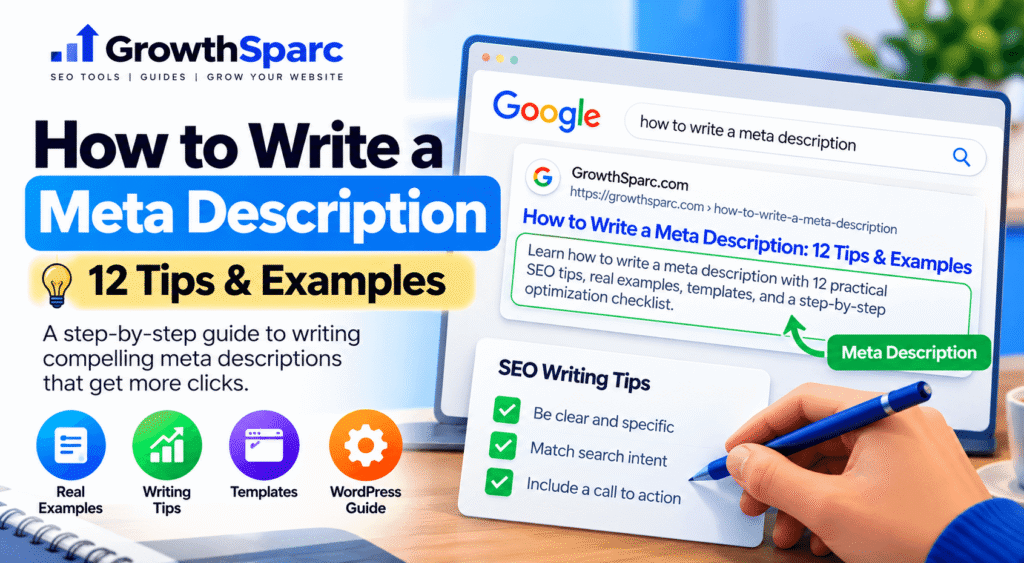
You have published a useful webpage, chosen a relevant SEO title, and optimized your content. Now comes a small but important task: writing the description that may appear beneath your page’s title in Google Search.
A good meta description is more than a collection of keywords. It is a concise explanation of what readers can expect when they visit your page. When written carefully, it can help searchers identify relevant results and make informed clicking decisions.
To write an effective meta description, identify the page’s search intent, summarize its main benefit, include the primary keyword naturally, add specific details, and use clear language. Make the description unique to the page, avoid misleading claims, and preview it before publishing. Google may use the description as a search snippet when it provides a useful summary.
This guide provides a practical workflow, 12 writing tips, original examples for different website types, and reusable templates. You will also learn how to add descriptions in WordPress and evaluate their performance through Google Search Console.
If you are completely new to the subject, begin with our foundational guide to what a meta description is and how it works. This tutorial focuses specifically on creating and improving descriptions.
How to Write a Meta Description in 5 Steps
Before worrying about character counts or calls to action, start with the information your page actually provides. The following process works for educational articles, online tools, ecommerce pages, and service websites.
Step 1: Understand What the Searcher Wants
Every useful description begins with search intent. Ask what someone expects to find when searching for your primary keyword.
For example, a person searching for “how to calculate organic CTR” probably wants a formula, an explanation, or a calculator. Someone searching for “SEO audit services” may want to compare professional services or understand what an audit includes.
These searches require different descriptions because the expected outcomes are different.
For informational pages, emphasize the explanation or instructions provided. For interactive tools, explain the action users can complete. For service pages, describe the offering and its relevant benefits.
Step 2: Identify the Page’s Main Value
Write down the single most important thing visitors will gain from the page. This might be learning a technique, solving a problem, comparing options, or completing a calculation.
Consider an article about fixing broken internal links. Its main value could be teaching readers how to identify broken URLs, prioritize repairs, and update their links.
Learn about internal links and SEO with our complete website guide.
Improved VersionFind and fix broken internal links with practical checks, repair methods, and tips for keeping your website navigation useful.
The improved version is more specific. It tells the reader what the page covers without relying on vague claims such as “complete” or “ultimate.”
Step 3: Draft One Clear Sentence
Start by writing a natural sentence that explains the page. Do not try to fit every related keyword into your first draft.
A simple working structure is:
Action or topic + specific information provided + useful outcome.
Example: Learn how to create an XML sitemap, choose which URLs to include, and troubleshoot common submission problems.
Read the sentence aloud. If it sounds unnatural or contains repeated words, simplify it.
Step 4: Add Relevant Details and Refine the Wording
Improve the draft with details that genuinely distinguish the page. Useful details may include a step-by-step tutorial, downloadable checklist, product specifications, examples, or a free calculator.
Avoid including benefits that the destination cannot deliver. For example, do not promise a free downloadable template if the page contains only a written explanation.
Step 5: Preview and Verify the Description
Once the description is clear, review it alongside your SEO title. Make sure the two elements complement each other rather than repeat identical wording.
Use the GrowthSparc SERP Snippet Preview Tool to examine an illustrative search result before publishing.
A preview can help identify awkward phrasing or potential truncation. However, Google’s actual snippet may differ according to the search query, device, and content selected from the page.
12 Practical Tips for Writing Better Meta Descriptions
1. Make Every Description Page-Specific
A website may contain dozens of articles about SEO, but each page should have a distinct purpose. A guide about canonical tags should not use the same description as an article about robots.txt.
Unique descriptions help communicate those differences. Google also recommends using descriptions that accurately represent individual pages rather than repeating generic text across a website.
2. Put the Most Useful Information First
Search snippets can be shortened to fit the available display space. Put the central topic or benefit near the beginning instead of opening with unnecessary introductory phrases.
For example, “Learn how to fix broken internal links” communicates the subject faster than “Welcome to our comprehensive website optimization resource.”
3. Include Your Primary Keyword Naturally
Using the main keyword can help readers recognize that your page addresses their search. However, repeating the keyword does not make the description more useful.
Meta description tips, meta description writing, meta description SEO, best meta description examples.
BetterLearn how to write a meta description with practical examples, editing tips, and a checklist for reviewing your search snippet.
The second version explains the page while incorporating the topic naturally.
4. Match the Actual Search Intent
A description for a tutorial should promise instruction. A product comparison should explain what is being compared. A tool page should describe the function available to visitors.
Matching intent matters more than forcing the same description formula onto every page.
5. Use Specific Language Instead of Empty Claims
Words such as “amazing,” “unbeatable,” and “revolutionary” provide little information without evidence.
Specific language is usually more useful. Mention examples, supported features, steps, or relevant specifications that visitors will actually find.
6. Write for People, Not Just Search Engines
Imagine the description appearing without the rest of your website’s branding. Would a reader understand what the page offers?
Good descriptions should make sense independently. Avoid unnatural keyword lists, unexplained abbreviations, and promotional wording that hides the page’s purpose.
7. Use Calls to Action Only When Appropriate
A relevant call to action can clarify what visitors can do. For example, “Calculate your CTR,” “Compare the methods,” or “Follow the steps” may fit different page types.
Not every description needs an imperative. An informative summary can be equally effective when the searcher primarily wants an explanation.
8. Avoid Unsupported Promises
Do not claim that a technique guarantees first-page rankings, instant indexing, or a specific traffic increase unless you have reliable evidence supporting the exact claim.
A description should build accurate expectations. Misleading promises can attract the wrong audience and damage trust.
9. Treat Character Count as a Guideline
Many SEO editors use approximately 140–160 characters as a practical writing range. However, Google does not impose a fixed snippet character limit. Display length depends on the search result and device.
Do not add unnecessary words simply to reach 160 characters. A shorter description that clearly summarizes the page can be perfectly appropriate.
10. Avoid Duplicating the SEO Title
The title and description work together. The title identifies the topic, while the description can add details about the page’s coverage.
How to Fix Broken Internal Links in WordPress
Supporting DescriptionFind broken links, update outdated URLs, and improve site navigation with practical WordPress troubleshooting steps.
The description expands on the title instead of simply repeating it.
11. Review Descriptions After Major Content Updates
If you substantially change a page, check whether its existing description still reflects the content.
For example, an article originally covering three SEO tools may later include a full comparison of ten tools. Its old description could become incomplete or misleading.
Updating metadata is especially useful when a page’s primary purpose or available features change.
12. Measure Performance Instead of Guessing
A description that sounds attractive does not automatically produce a higher click-through rate. Rankings, competing results, search intent, device type, and other search features influence clicks.
Use Google Search Console to observe changes in impressions, clicks, CTR, and average position. Compare similar periods and avoid attributing every movement to one description edit.
Meta Description Examples for Different Website Types
Different websites require different descriptions. The following original examples demonstrate how to communicate specific value while keeping the wording natural.
| Page Type | Example Meta Description | Why It Works |
|---|---|---|
| SEO tutorial | Learn how to find broken internal links, repair outdated URLs, and improve navigation with practical examples. | Explains the problem and solution. |
| Free calculator | Calculate organic CTR using your clicks and impressions. Understand the formula and review a simple example. | Clearly describes the tool’s function. |
| Ecommerce category | Explore adjustable desk lamps with product dimensions, lighting options, and specifications to help you compare models. | Identifies the product category and useful details. |
| Service page | Explore responsive website design services for small businesses, including site planning, page layouts, and usability improvements. | Explains the service without guarantees. |
| Educational guide | Understand canonical URLs, when to use them, and how to avoid common duplicate-content configuration mistakes. | Matches informational search intent. |
| Product comparison | Compare two project management platforms by features, pricing structure, integrations, and common use cases. | Explains the comparison criteria. |
| Local business | Explore home cleaning services in your area, including available cleaning options and how to request an estimate. | Focuses on the service and next action. |
| Blogging resource | Learn how to organize blog topics into clusters, choose supporting keywords, and build a useful internal linking structure. | Communicates practical learning outcomes. |
Example: Writing a Description for an SEO Tool
Suppose you are writing metadata for a free organic click-through rate calculator.
The visitor wants to calculate a percentage from clicks and impressions. Your description should emphasize the calculation rather than offer unrelated SEO advice.
Calculate your organic search CTR from clicks and impressions. Use a simple calculator to understand your click-through percentage.
The GrowthSparc Organic CTR Calculator illustrates this type of tool-focused search intent.
Example: Writing a Description for a Blog Article
For an article about SEO title tags, the reader may want to learn what makes a title useful, how titles appear in search, and how to avoid common mistakes.
Learn how to write SEO title tags with practical examples, formatting tips, and common mistakes to avoid when optimizing webpages.
Notice that the description focuses on the information provided, not an unrealistic promise of improved rankings. For more guidance on writing the title itself, see our SEO title tags guide with best practices and examples.
Reusable Meta Description Templates
Templates can speed up writing, but they should never replace careful review. Use the following structures as starting points and customize them for the actual page.
Template 1: How-to Article
Learn how to [complete task] with [specific instructions or examples] and avoid [relevant common problem].
Template 2: Educational Guide
Understand [topic], including [important concept], [supporting concept], and practical examples for [relevant audience].
Template 3: Free Online Tool
Use our free [tool type] to [specific action]. Review [actual feature or output] and complete [relevant task].
Template 4: Product Category
Explore [product category] with details about [important specifications]. Compare available options for [relevant use].
Template 5: Professional Service
Explore [service] for [target audience], including [specific offering] and information about [relevant process].
Template 6: Comparison Article
Compare [option A] and [option B] by [criteria], [criteria], and [criteria] to understand their key differences.
For a large website, templates can be particularly helpful when pages contain reliable structured information such as product specifications. Google permits programmatically generated descriptions when they are accurate, readable, and specific to individual pages.
Before using a template, remove any placeholder that does not correspond to information on the page. A short, accurate description is better than a longer one filled with unsupported claims.
How to Add a Meta Description in WordPress
WordPress websites commonly use an SEO plugin to manage page-level metadata. Rank Math and Yoast SEO are two examples.
Adding a Description With Rank Math
- Open your WordPress dashboard.
- Navigate to Posts or Pages and open the content you want to optimize.
- Open the Rank Math SEO panel.
- Select the snippet editor.
- Enter your SEO title and meta description.
- Review the preview and adjust the wording where necessary.
- Save or update the page.
The exact steps can vary slightly depending on your editor and plugin version.
What About the Focus Keyword?
Rank Math’s focus keyword field helps the plugin evaluate selected optimization checks. It is not the same as the HTML meta description and does not itself guarantee higher rankings.
Choose a primary keyword that accurately describes the page. Use it naturally in your title, content, and description when appropriate.
How to Verify the Published Description
After publishing, open the live page and inspect its source code. Search for the meta description element in the HTML head section.
<meta name="description"
content="Learn how to write a meta description with practical examples and useful editing tips.">
This example shows the expected HTML structure. The actual content should reflect your page.
If the page contains multiple description tags, review your SEO plugin and theme settings to identify the source of duplication.
Do not insert another meta description into a WordPress Custom HTML article block when your SEO plugin already manages metadata.
Common Meta Description Writing Mistakes
Mistake 1: Writing the Same Description for Every Page
Repeated descriptions provide little useful information about individual pages. A blog article, homepage, and calculator should not all use the same generic promotional sentence.
Prioritize unique descriptions for important pages, especially those attracting search impressions.
Mistake 2: Using Too Many Keywords
Keyword stuffing makes descriptions difficult to understand. It also prevents the text from communicating the page’s actual value.
Instead of listing search terms, write a readable summary that naturally includes the main topic.
Mistake 3: Promising Results You Cannot Guarantee
Descriptions such as “Get number one on Google instantly” can mislead visitors. Search rankings depend on many factors beyond one page’s metadata.
Focus on real features, information, and outcomes supported by the content.
Mistake 4: Ignoring the Visible Page Content
Google may select snippets from the body of a webpage instead of using the supplied description.
If the page introduction is unclear or unrelated to the search query, improving that visible content may be just as important as editing metadata.
Mistake 5: Treating a Preview as Google’s Final Result
Snippet preview tools are useful editorial aids, but they cannot predict exactly what Google will display for every search.
Use previews to improve clarity and presentation, not as a guarantee that the same text will appear in search results.
How to Measure Meta Description Performance
Writing a description is only the beginning. Once the page receives impressions, use real search performance data to identify potential improvements.
1. Open Google Search Console
Navigate to the Search results performance report and select the page you want to analyze.
Review the queries that generate impressions and clicks. Different queries may reflect different user expectations, even when they lead to the same page.
2. Examine Clicks, Impressions, and CTR
Click-through rate measures the percentage of search impressions that result in clicks.
The formula is:
CTR = (Clicks ÷ Impressions) × 100
Example: 120 clicks ÷ 4,000 impressions × 100 = 3% CTR.
You can check calculations using the GrowthSparc Organic CTR Calculator.
3. Consider Average Position and Search Intent
A page appearing near the bottom of the first results page will often receive fewer clicks than a page near the top.
Similarly, informational queries, branded queries, and transactional queries may produce different click behavior.
Do not judge description quality solely by whether a page has a low CTR. First understand its position and the queries for which it appears.
4. Make One Clear Improvement at a Time
If your description is vague, rewrite it to explain the page more accurately. Record the update date and allow time for Google to recrawl the page.
Compare performance over meaningful periods while accounting for changes in rankings and search demand.
Do not repeatedly change descriptions every day based on small fluctuations. Search performance data often needs time and context to become useful.
5. Improve the Content When Metadata Is Not Enough
If the description accurately summarizes the page but search performance remains weak, investigate other issues.
These may include incomplete content, poor intent matching, stronger competing pages, technical problems, or insufficient topical coverage.
A better description cannot compensate for a page that does not satisfy the visitor’s needs.
Check Your Meta Description Before Publishing
Review your proposed SEO title and description together with GrowthSparc’s free SERP preview tool. Use the preview to refine wording and create a clearer search-result presentation.
Open the SERP Preview Tool →Meta Description Publishing Checklist
- Identify the primary search intent.
- Write a summary specific to the page.
- Include the main topic naturally.
- Place the most useful information early.
- Explain what the visitor can expect.
- Avoid repeated keywords and exaggerated claims.
- Make sure the title and description complement each other.
- Preview the description before publishing.
- Verify that the published page contains the intended metadata.
- Review search performance after sufficient data becomes available.
Frequently Asked Questions
How do you start a good meta description?
Start with the page’s main topic or the action readers want to complete. For example, “Learn how to create an XML sitemap” immediately identifies the subject and purpose.
Should a meta description include the primary keyword?
Include the primary keyword when it fits naturally and accurately describes the page. Repeating the same phrase multiple times is unnecessary.
Is 160 characters the maximum length?
No. Google does not specify a fixed maximum character count for meta descriptions. Search snippets are shortened as needed to fit the available display space.
Can two pages use the same meta description?
It is generally better to use page-specific descriptions for important URLs. Similar or identical descriptions may not communicate the differences between pages effectively.
Why is Google showing a different description?
Google can generate snippets from visible webpage content when that text better matches a particular search query. A rewritten snippet does not automatically indicate a technical error.
Can AI write meta descriptions?
Yes. AI can assist with drafting, but the final text should be checked for accuracy, originality, readability, and consistency with the actual webpage.
Does changing a meta description improve rankings?
A meta description is not a direct Google ranking factor. A clearer description may help communicate relevance when displayed, but ranking improvements are not guaranteed.
Should I update meta descriptions every month?
There is no required monthly update schedule. Review them when content changes, descriptions become inaccurate, or performance analysis identifies a meaningful opportunity.
Final Thoughts
Learning how to write a meta description is a practical SEO skill that combines clear communication with an understanding of search intent.
Start by identifying what readers want, summarize the actual page, include relevant details, and remove anything that does not help the reader make an informed decision.
Remember that Google may choose a different snippet for individual searches. Your goal should be to provide accurate metadata and genuinely useful visible content, not to force one exact description into every search result.
For a broader explanation of search snippets, see our guide to meta descriptions. You can also explore the GrowthSparc SEO tools directory for helpful utilities related to search optimization.